How to reset your password
Forgot Password
If you've forgotten your password, you can still regain access to your account by following these steps:
-
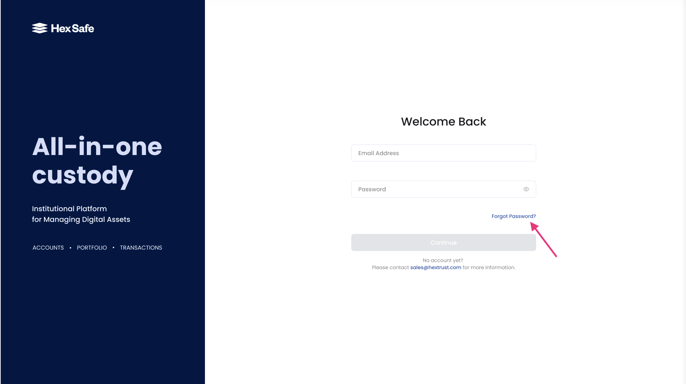
At the login screen, click the 'Forgot password' button.
-
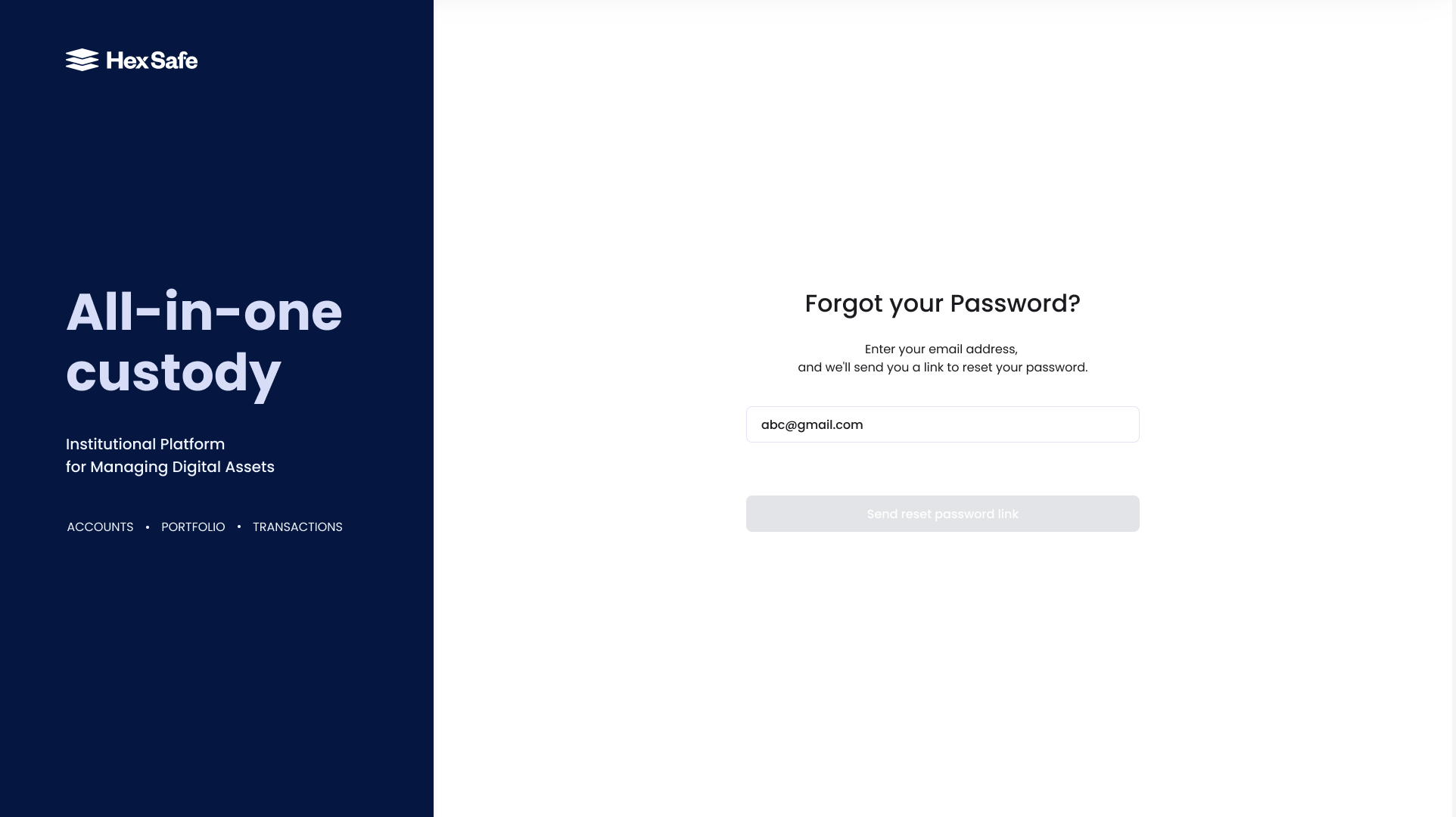
Enter the email address associated with your Hex Safe account.
-
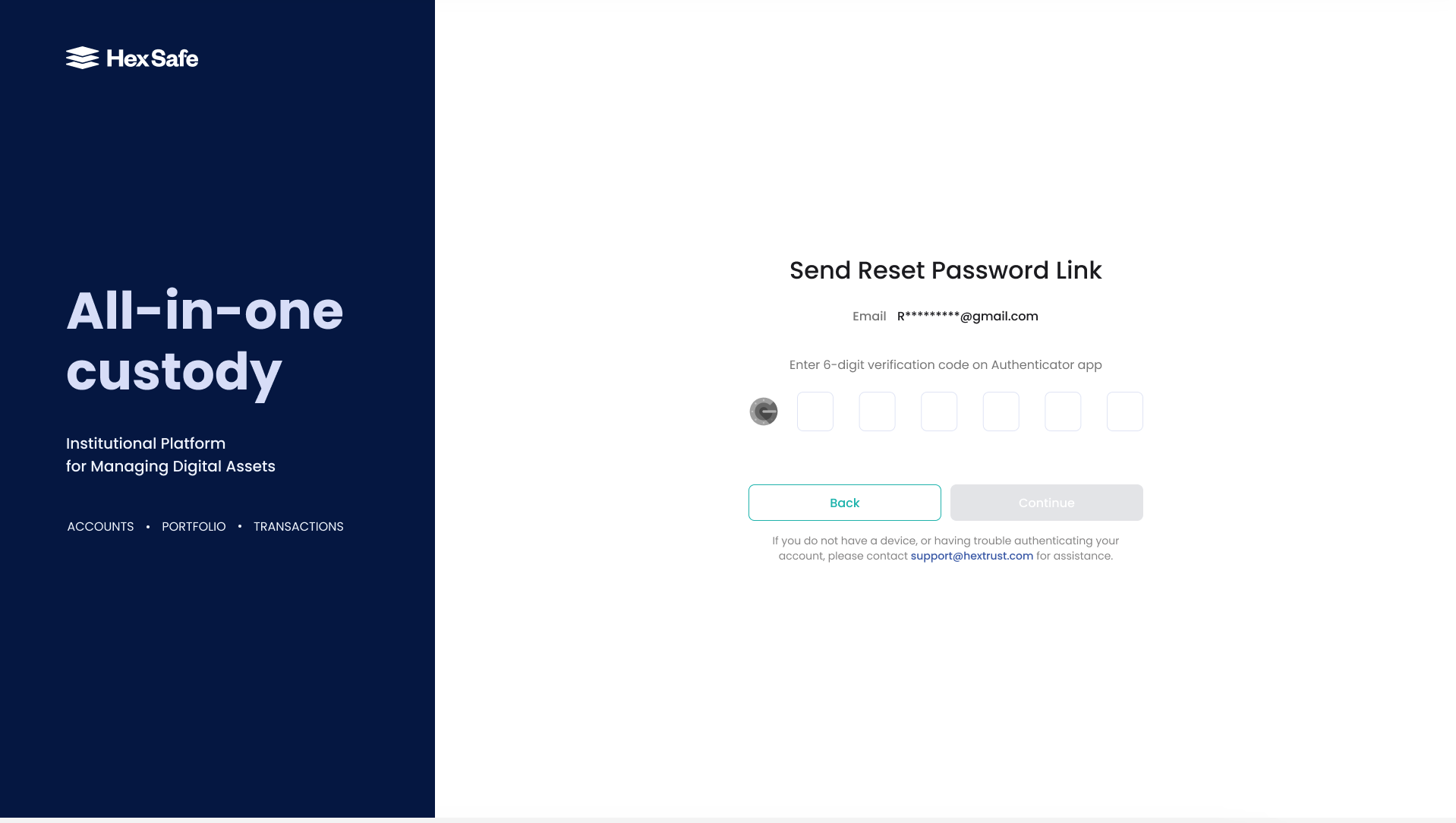
You will be prompted to enter your verification code. Enter the 6-digit verification code from the Authenticator App.
-
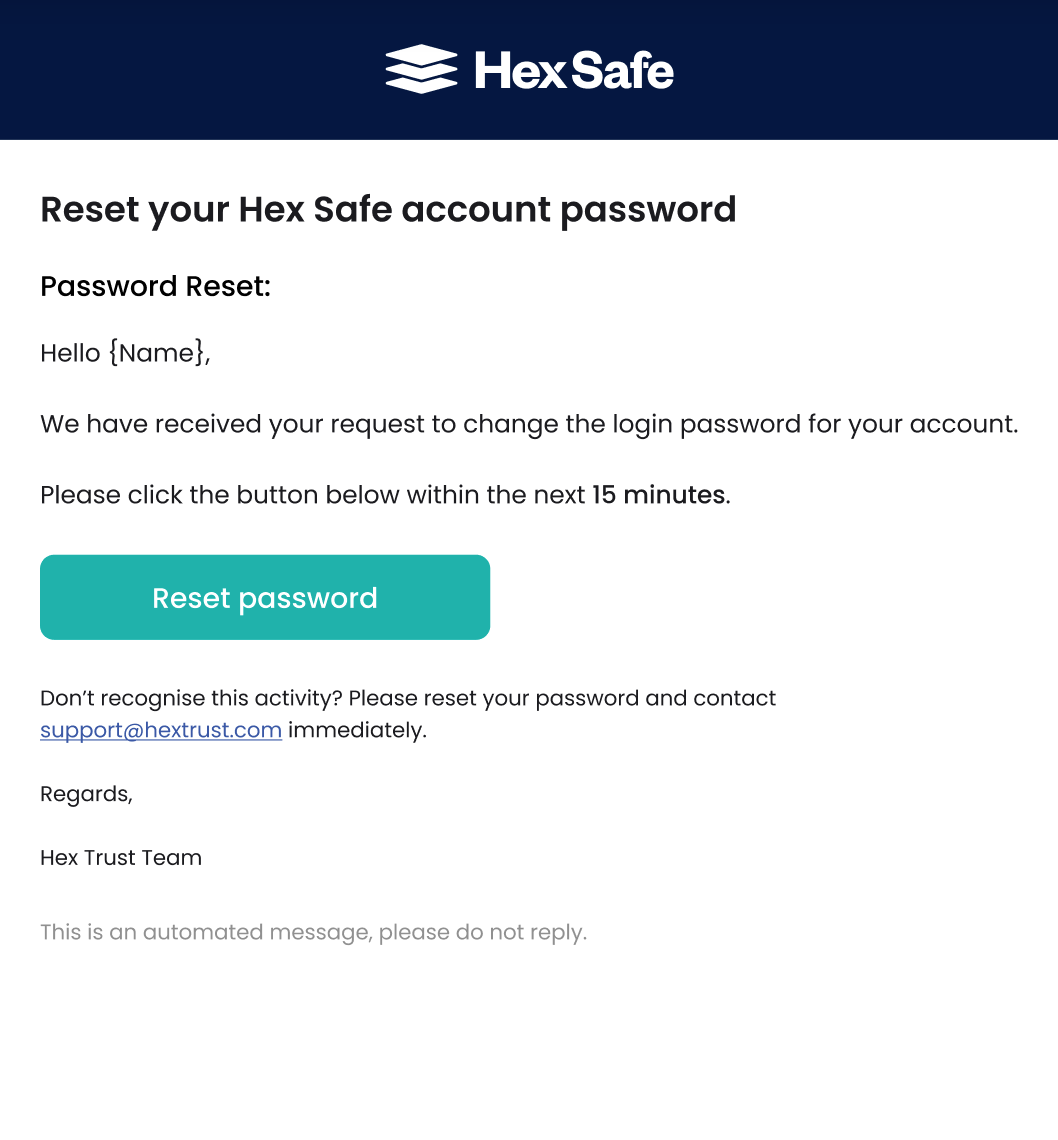
After authentication, you will receive an email confirming your request to reset your password. Click the "Reset Password" button.
-
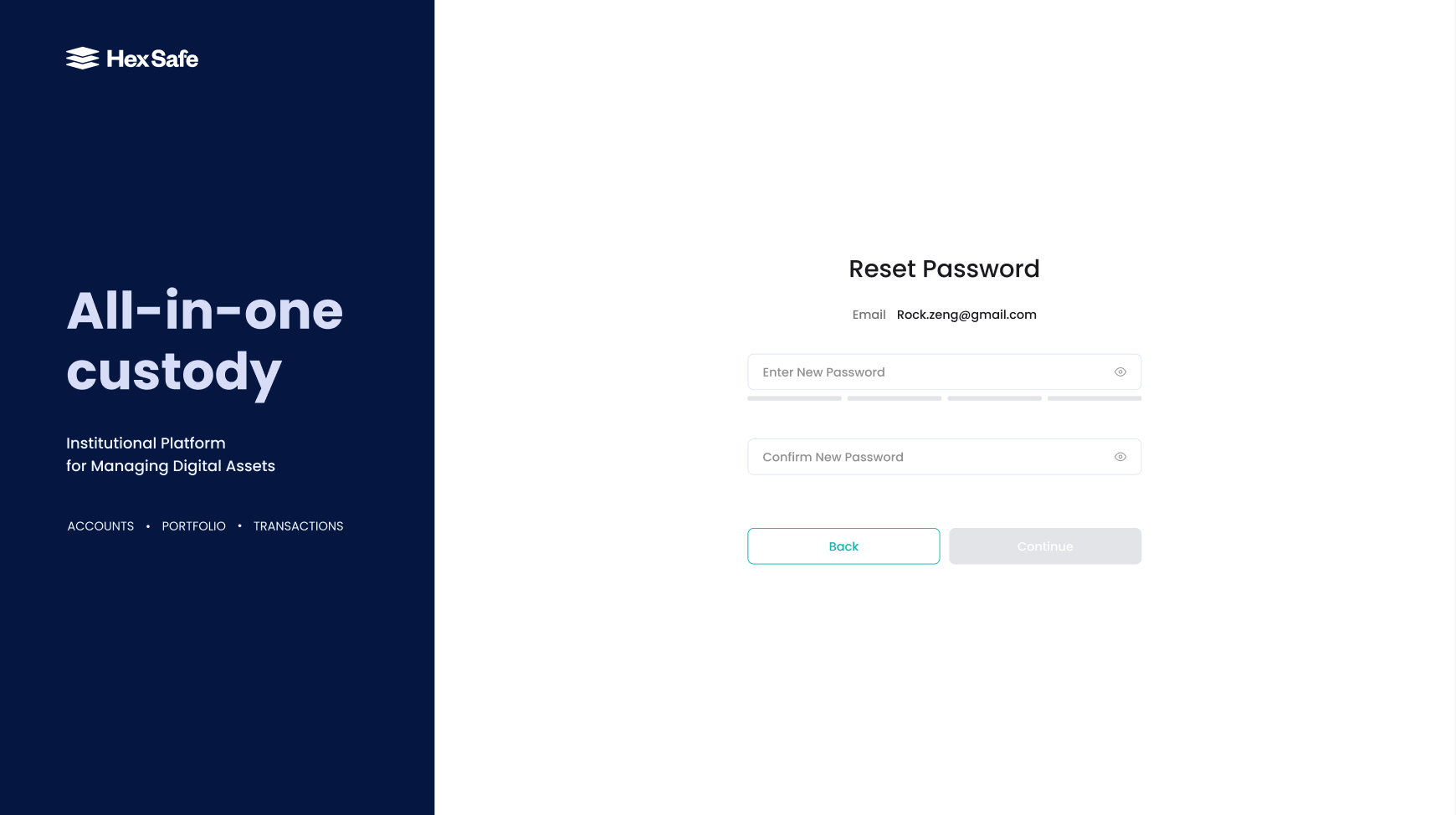
A new browser page will open where you can enter your new password.
-
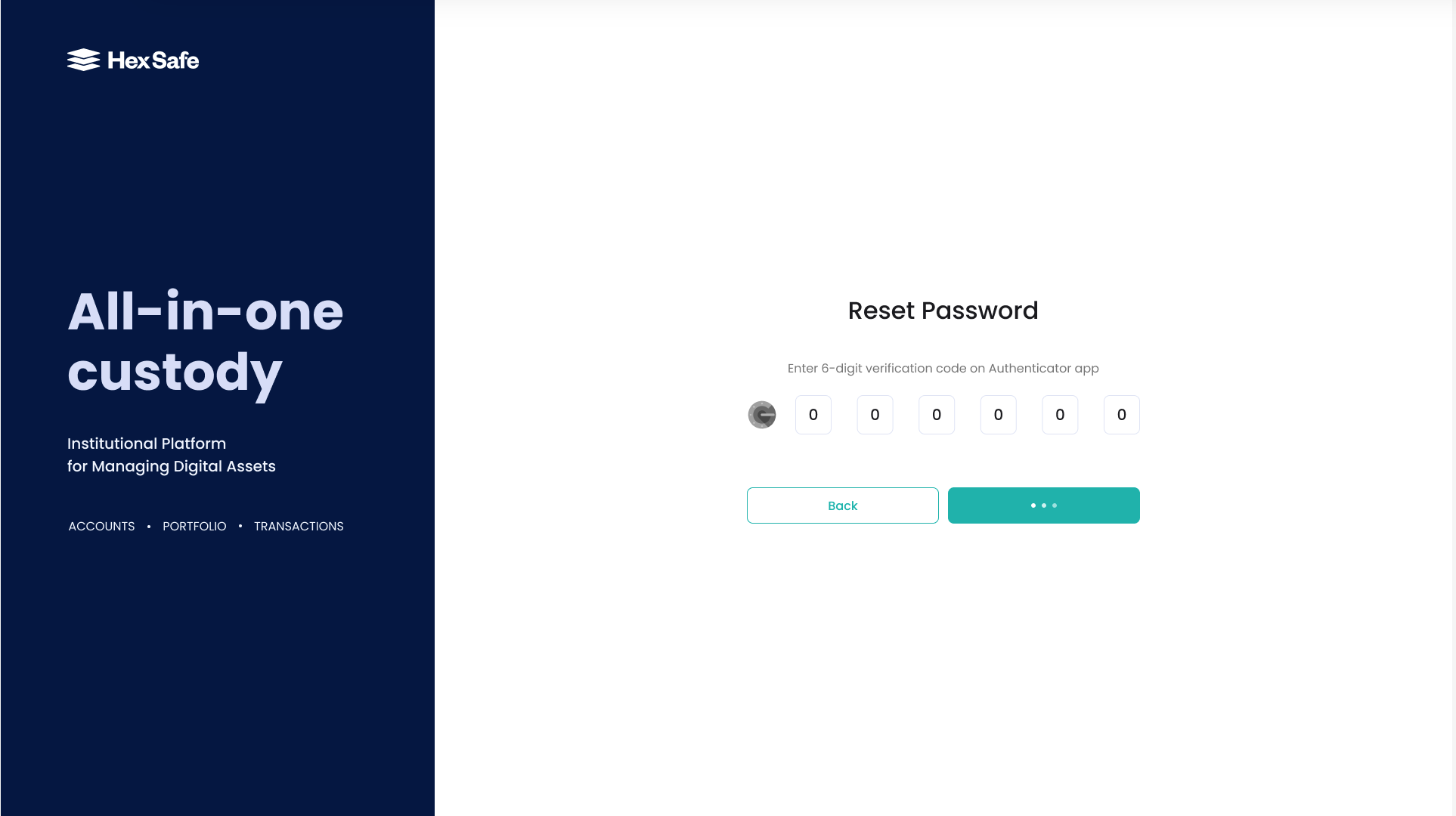
After entering your new password, you will be prompted to enter your verification code. Enter the 6-digit verification code from the Hex Safe Mobile App.
-
Congratulations! You have now successfully changed your password!