![Hex_Trust_logo_white.png]](https://help.hextrust.com/hs-fs/hubfs/Hex_Trust_logo_white.png?height=46&name=Hex_Trust_logo_white.png)
This article explains how to manage vaults in Hex Safe using the self-service vault management feature. Vaults are used to securely store and manage digital assets and control transaction access.
Creating a Vault
Renaming a Vault
Archiving and Unarchiving
Note: Only users with Admin roles can create new vaults, rename existing vaults and archive existing vaults.
Creating a Vault
There are two ways on how to create your Vault:
- First Option
- Log in to your account.
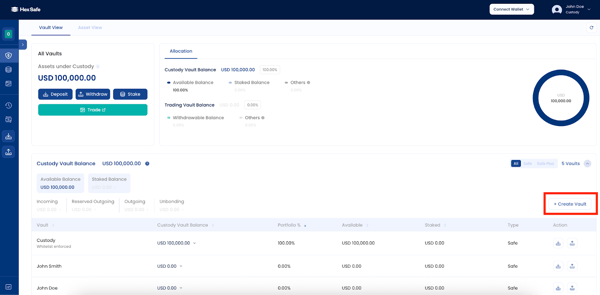
- From the dashboard, locate and click “Create Vault” on the right side of the screen.
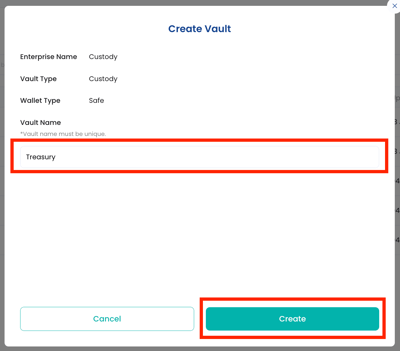
- A window will appear and enter your chosen Vault Name.
- Click the “Create” button.
- Second Option
- Log in to your account.
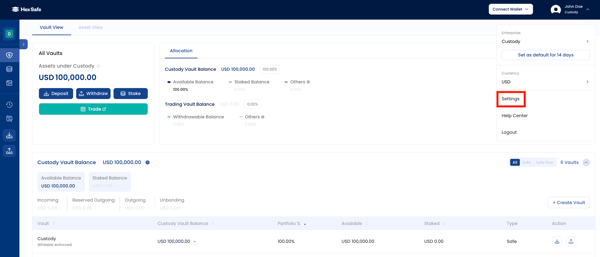
- From the dashboard, click "Settings" in the upper right-corner menu.
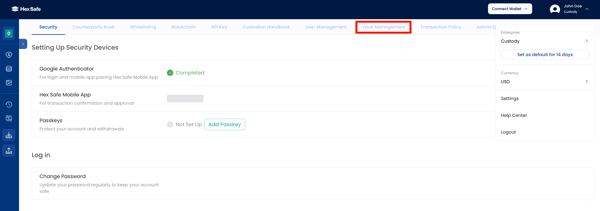
- Select “Vault Management”.
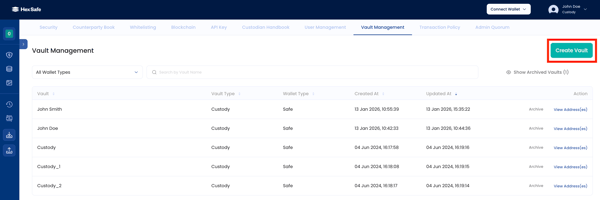
- Click “Create Vault” on the right side of the screen.
- A window will appear and enter your chosen Vault Name.
- Click the “Create” button.
Renaming a Vault
- Navigate to Vault Management
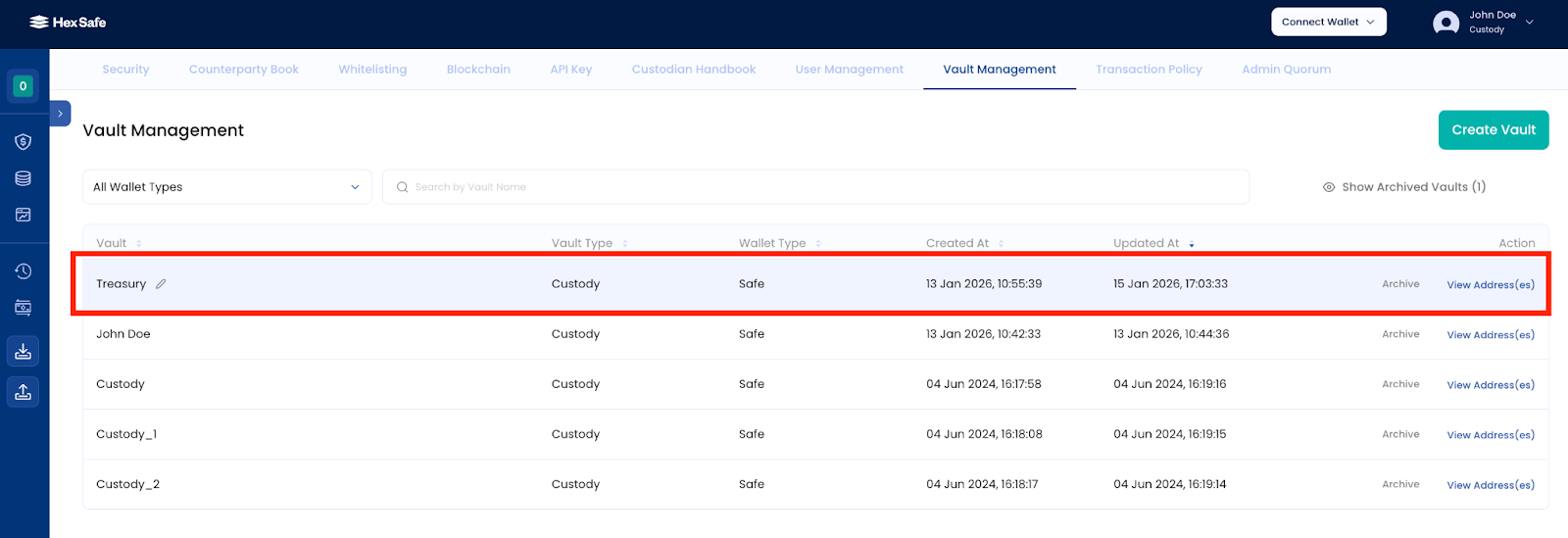
- Locate the Vault you want to rename and click it.
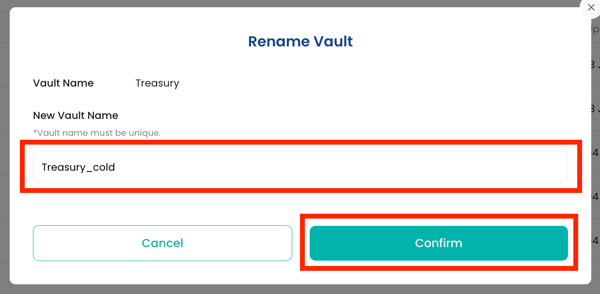
- In the window, enter your new Vault name
- Click the “Confirm” button.
Archiving and Unarchiving
In the same Vault Management page, locate the Vault you want to archive.
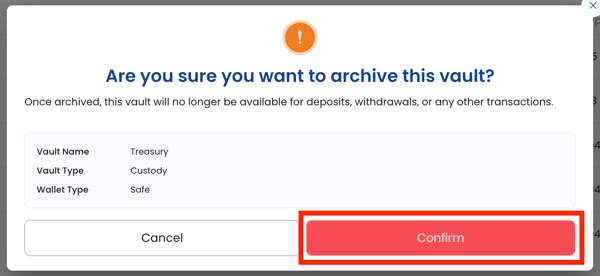
- Click the “Archive" button and “Confirm”.
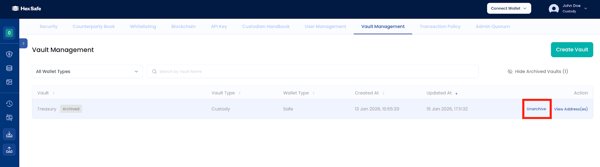
- To unarchive it, toggle the “Show Archived Vault”, then click “Unarchive” and “Confirm”.